How to Fix an Anova Precision Cooker Not Connecting to Wi-Fi
An Anova Precision Cooker that won't connect to Wi-Fi is almost always on a 2.4 GHz network problem, a mistyped password, or a weak signal at the pot. Put the phone and the cooker on the same 2.4 GHz band, re-pair the cooker in the Anova app, then move the cooker closer to the router.
On this page (8 sections)
- Why does the Anova app fail to find my cooker?
- Is your router the reason the cooker won't join Wi-Fi?
- What are the most common Wi-Fi connection mistakes?
- How close does the cooker need to be to the router?
- Should you re-pair the cooker before calling support?
- Which cooker and setup make Wi-Fi pairing easier?
- Why does the connection drop in the middle of a cook?
- When should you contact Anova support?
An Anova Precision Cooker that won't connect to Wi-Fi is usually fighting a 2.4 GHz network problem, a mistyped network password, or a weak signal at the pot. Put your phone and the cooker on the same 2.4 GHz band, re-pair the cooker in the Anova app, then move the cooker closer to the router.
The tricky part is that the cooker itself works fine. An anova precision cooker not connecting to wifi is an app and radio problem, not a cooking problem, so you can still run a water bath while you sort it out.
Why does the Anova app fail to find my cooker?
The Anova app fails to find a cooker when the phone and the cooker are on different networks, or the cooker is already paired to another account. The app scans for nearby cookers, so a stale pairing or a VPN on the phone can hide it.
Work through this order:
- Update the Anova app from your phone's app store.
- Turn off any VPN or private relay on the phone.
- Make sure the phone is on the same home network you want the cooker on.
- Unplug the cooker for 30 seconds and plug it back in.
- Run the add-device steps again.
If the app still shows nothing, clear the app's cached device list by removing the cooker from your account. Then add it fresh.
Bluetooth matters here too. Keep Bluetooth on during pairing, because the app uses it to hand the network details to the cooker before the Wi-Fi link takes over.
Is your router the reason the cooker won't join Wi-Fi?
A 5 GHz-only network or a router that steers devices between bands is the most common blocker. Older Anova models pair over 2.4 GHz only, which reaches farther and travels through walls better than 5 GHz.
The 3.0 supports dual band.
Most home routers run one network name for both bands. That's convenient for phones but can confuse a small appliance radio during setup.
Log into the router and check whether you can split the bands into separate names, often labeled something like "Home-2.4" and "Home-5". Then point the cooker at the 2.4 GHz name during pairing.
Also check these router settings:
- Guest network isolation blocks a device from talking to your phone. Turn it off or use the main network.
- MAC filtering can refuse the cooker entirely.
- A full DHCP pool leaves no address for a new device.
- Firmware on older routers sometimes breaks small device pairing.
Anova says the Precision Cooker 3.0 upgraded to dual band WiFi for improved connectivity. Our Anova Precision Cooker 2.0 vs 3.0 comparison covers that connectivity change and the other upgrades.
What are the most common Wi-Fi connection mistakes?
Wrong password, wrong network name, and a phone on cellular data cause most failed pairings. These are small errors that look like hardware faults.
Run through them before you touch the router again:
- Type the password manually instead of pasting it, since hidden characters slip in.
- Match the exact capitalization of the network name.
- Turn off mobile data on the phone during setup.
- Move within a few feet of the cooker.
- Give the pairing a full minute before you retry.
A helpful check is to watch whether the app gets past the "finding" stage. If it finds the cooker but fails at the network step, the password or band is the issue.
If it never finds the cooker, the app, Bluetooth, or pairing state is the issue.
How close does the cooker need to be to the router?
Keep the cooker within normal Wi-Fi range and out of a metal cabinet. A 2.4 GHz signal passes through drywall well but struggles with metal, tile backsplashes, and distance.
Kitchen counters are often the far corner of the house from the router. Test the connection on a counter near the router first, then move the pot back and watch whether the app holds the link.
If the signal drops at the cooking spot, a mesh node or an inexpensive Wi-Fi extender in the kitchen solves it. You don't need speed for a cooker.
You need a stable 2.4 GHz link.
A metal stockpot doesn't shield the cooker's radio much because the unit sits above the water line. Still, metal surfaces can degrade the signal in some setups, as can a deep cabinet or a closed pantry shelf.
Give the cooker open air.
Should you re-pair the cooker before calling support?
Yes. Remove the cooker from the app, then add it again as a new device.
Re-pairing clears a stale network record that can survive a password change.
Here's the full reset routine:
- Open the Anova app and remove the cooker from your account.
- Unplug the cooker for about 30 seconds.
- Restart your phone, then reopen the app.
- Confirm the phone is on the 2.4 GHz network.
- Pair the cooker and enter the password by hand.
- Run a short test cook with the app open.
If that works, the old pairing was the problem. If it fails at the same step, the network is the problem, so go back to the router checks.
Which cooker and setup make Wi-Fi pairing easier?
A cooker with dual band WiFi and a clear spot on the counter gives you the smoothest pairing. Setup gear matters too, because a stable pot position means a stable signal.
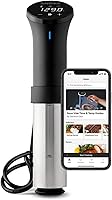
The Anova Precision Cooker 3.0 is the model Anova built for this exact problem. It runs dual band WiFi, and its two-line touch screen display lets you set time and temperature on the unit itself when the app is being stubborn.
The adjustable clamp fits nearly any pot deep enough for the minimum water depth, and the removable stainless steel skirt twists off for cleaning by hand or in the dishwasher.
If you'd rather not depend on Wi-Fi at all, the Greater Goods Pro Sous Vide Kit is a manual option. It's 1100 watts with a brushless motor, and its controls run Fahrenheit and Celsius with a manual calibration feature.
The kit bundles an insulated container with a snap lid and a stainless steel rack. The lid slows evaporation on long cooks, and the rack slots keep bags from floating.
For Anova owners adding a container, the Anova 12 L Cooker Container pairs with the Precision Cooker line. Its curved Hemiflow walls help the water circulate, the silicone lid limits evaporation, and a removable rack holds food under the water.
A container doesn't fix Wi-Fi, but it does keep the cooker in one place. A fixed pot position means a predictable signal, which helps if you've been chasing connection drops.
Why does the connection drop in the middle of a cook?
Band steering and weak signal cause most mid-cook drops. The router tries to move the cooker to 5 GHz, the cooker loses the link, and the app shows it offline.
Fixes that help:
- Split the bands and lock the cooker to 2.4 GHz.
- Reserve a DHCP address for the cooker so its IP doesn't change.
- Keep the router firmware current.
- Avoid running a microwave right next to the router during a cook.
Here's the reassuring part. A dropped link doesn't stop the water bath.
The cooker holds its set temperature on its own, so dinner finishes even if the app goes quiet. That's the same principle behind our guide to Anova sous vide not heating water problems, where the fix is usually about the cooker itself rather than the app.
Check the app's firmware update screen after the link is stable. Updates install over Wi-Fi and can fix pairing bugs.
When should you contact Anova support?
Contact Anova when the cooker fails to pair on a separate 2.4 GHz network, near the router, with a fresh app install. That points at the radio rather than your setup.
Before you call, gather these details: the cooker model number, the exact app version, the router brand, and the step where pairing fails. Support can tell you whether a firmware push or a replacement applies.
The Precision Cooker 3.0 carries a 2 year manufacturer warranty, so keep your purchase record. If you're deciding whether to repair or replace, our Anova Precision Cooker 3.0 review covers what the current model does well and where it stops.
For buyers weighing the step-up unit, the Anova Precision Cooker Pro vs 3.0 comparison covers which one fits a home kitchen.
If you cook through drops and prefer a simpler setup, a manual cooker with no network at all remains a real choice. The trade-off is no remote control and no recipe feed, but nothing to troubleshoot either.
Fix the Wi-Fi first with the band, password, and re-pair checks above. If the anova precision cooker not connecting to wifi problem survives all of that on a clean 2.4 GHz network, the unit is the next suspect, and Anova support is the right call.
Frequently asked questions
Why won't my Anova Precision Cooker connect to Wi-Fi?
The most common cause is a 5 GHz-only Wi-Fi network, because the cooker pairs over 2.4 GHz. A mistyped password, an app that hasn't been updated, or a router sitting too far from the pot can also block the pairing.
Does the Anova Precision Cooker 3.0 support 5 GHz Wi-Fi?
Anova says the Precision Cooker 3.0 moved to dual band WiFi for better connectivity. Even so, pairing can still fail on a mixed network, so try a dedicated 2.4 GHz band first and update the Anova app before you troubleshoot anything else.
Can I use the Anova Precision Cooker without Wi-Fi?
Yes. The Anova Precision Cooker 3.0 has a two-line touch screen display for setting time and temperature on the cooker itself.
The app adds recipes and remote control, but the cooker heats and holds a set temperature without a network connection.
How do I reset the Wi-Fi on my Anova Precision Cooker?
In the Anova app, remove the cooker from your account, then add it again as a new device. Power-cycle the cooker by unplugging it for about 30 seconds, restart your phone, and run the pairing steps while standing within a few feet of the pot.
Why does my Anova cooker drop Wi-Fi mid-cook?
Weak signal and router band steering are the usual culprits. Keep the cooker in line of sight of the router where you can, keep metal surfaces away from the cooker, and check the app for the latest firmware before a long cook.