How to Connect an Anova Nano by Bluetooth
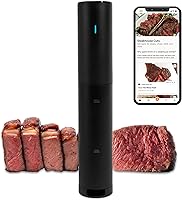
To connect an Anova Culinary Nano over Bluetooth, plug the cooker in, open the Anova app, tap the cook mode icon in the corner, and choose your device when it appears. The app is free, and once paired you can set time and temperature from your phone instead of the cooker dial.
On this page (9 sections)
- Does the Anova Nano 2.0 use Bluetooth?
- What do you need before pairing the Anova Nano?
- How to pair the Anova Nano with the Anova app step by step
- Can you use the Anova Nano without the app?
- Why does the Bluetooth connection keep dropping?
- How do you set time and temperature once paired?
- Which container and setup work best with the Nano?
- What else should you know about the app and pairing?
- The short version on Anova Culinary Nano sous vide Bluetooth pairing
To connect an Anova Culinary Nano over Bluetooth, plug the cooker in, open the Anova app, tap the cook mode icon in the corner, and choose your device when it appears. The app is free, and once paired you can set time and temperature from your phone instead of the cooker dial.
Bluetooth pairing is the whole control setup on this model. There is no Wi-Fi step and no account needed just to start a cook, so the first connection takes about a minute.
Does the Anova Nano 2.0 use Bluetooth?
Yes. The Anova Precision Cooker Nano 2.0 pairs with the free Anova app over Bluetooth, so your phone talks straight to the cooker without a home network.
That matters for setup. You don't need to find your Wi-Fi password, keep a router in range, or create an online profile before your first cook.
The app's control method is listed as App, and the cooker also has its own dial, so the phone isn't your only option.
Anova separates the app into two parts. Basic cooker control is free.
An optional subscription adds chef recipes, saved cook history and a two week trial.
For everyday cooking, the free tier does what this guide covers. If you want guided recipes pushed to the cooker, the subscription is the upgrade.
See what the point of sous vide is if you're still deciding whether the method suits your kitchen.
What do you need before pairing the Anova Nano?
You need the cooker, a power outlet, a phone with Bluetooth on, and the Anova app installed. Nothing else is required to pair, though a water bath helps you test the connection straight away.
Check three things first. The cooker should be plugged into a working outlet and switched on.
Phone Bluetooth should be enabled in settings. The app should be the current version from your phone's app store.
The cooker runs at 120 volts and 800 watts, so use a normal kitchen outlet rather than an extension cord shared with heavy appliances. The 12.8 inch body attaches to a pot or container with its fixed clamp.
If you plan to cook right after pairing, fill your vessel and clip the cooker in place first. That way you can set temperature and time in one go rather than pairing and then walking away to set up.
How to pair the Anova Nano with the Anova app step by step
Open the app, tap the cook mode icon, and select your cooker from the device list. The app then confirms the pairing and shows the current water temperature.
- Plug in the Nano and make sure the display or dial lights up.
- Turn on Bluetooth on your phone.
- Open the Anova app and tap the cook mode icon in the corner of the screen.
- Wait while the app scans; your Nano should appear by name.
- Tap the cooker to pair, and accept any pairing prompt your phone shows.
- Set a time and temperature to confirm the app is talking to the cooker.
Keep the phone near the cooker during the scan. Most failed first attempts come from distance or a phone that's still searching for a previous device.
Once paired, the app remembers the cooker. Next time you open cook mode with Bluetooth on and the cooker plugged in, it should reconnect without the full scan.
What if the Nano doesn't appear in the app?
Restart both ends before you troubleshoot anything else. Unplug the cooker for a few seconds, plug it back in, and force close the app.
Then toggle phone Bluetooth off and on, and move the phone closer to the cooker. If a second phone in the house is already paired, close its app so the cooker isn't held by another connection.
A restart clears most pairing stalls. If the cooker still won't show, our guide to Anova sous vide not heating water covers the cooker-side checks worth running next.
Can you use the Anova Nano without the app?
Yes. The Nano has its own dial, so you can set time and temperature on the cooker and cook without pairing a phone at all.
That's useful when your phone is charging in another room or you'd rather not keep an app open. Turn the dial to set temperature, press to confirm, then set the timer the same way.
The 800 watt heater circulates water to within +/- 0.1°C (0.2°F) accuracy, according to Anova.
The app adds convenience rather than control you can't get elsewhere. It shows the water temperature and sends a notification when the cook finishes, so you can step away from the kitchen.
The cooker runs cooks up to 99 hours.
For long cooks, the app's alerts help more than the dial. For short ones like eggs or a single steak, the dial is quicker than opening an app.
Why does the Bluetooth connection keep dropping?
Distance and phone settings cause most drops, not the cooker. Bluetooth works over a short range, so keep the phone in the same room as the water bath.
A few habits keep the link steady. Leave the app open or allow it to run in the background.
Disable battery saver for the Anova app so the phone doesn't shut it down. Keep the phone off the counter next to a hot pot.
Thick walls between rooms weaken the signal. So does a crowded counter with a microwave or router sitting close to the cooker.
If the app loses the cooker mid cook, the cooker keeps heating at its set temperature. Reopen cook mode and let it reconnect; you don't need to restart the cook unless you want to change the settings.
How do you set time and temperature once paired?
Pick a recipe or enter your own time and temperature in cook mode, then press start. The app sends the settings to the cooker and tracks the cook from there.
You can browse recipes in the app and send one straight to the cooker. For your own cooks, type the temperature and time directly.
The cooker heats the water to the set temperature, then starts the timer.
Doneness comes from the water temperature, not the app, so getting the number right matters more than which screen you use. Our explainer on how sous vide cooking works covers why a degree or two changes the result.
The app notifies you when time is up. Leave the bag in the water a little longer if you're not ready; an extra 10 or 15 minutes at a low temperature rarely hurts a steak or a chicken breast.
Which container and setup work best with the Nano?
A 12 quart container with a fitted lid gives the Nano a stable bath and slows evaporation. The cooker's clamp fits standard pots, but a dedicated vessel makes long cooks easier.
A pot works for a first test. For regular cooking, a container with a lid holds heat and water better over multi hour cooks.
That's when the Bluetooth alerts earn their keep, since you can leave the kitchen without watching the pot.
The EVERIE kit includes the container, a collapsible hinged lid, a weighted stainless rack and a neoprene sleeve. The rack keeps bags apart so water circulates around each one, and the lid flips open for quick checks.
This simpler EVERIE option is the container and hinged lid only. It's compatible with the Anova Nano 750W and 800W models and fits the Nano 2.0, so it pairs with the cooker in this guide.
The rack and sleeve aren't included, so add those separately if you want bag spacing and extra insulation.
Once your setup is running, our Anova Culinary Nano sous vide poultry recipes give you cooks to try with the app timer.
What else should you know about the app and pairing?
Treat the app as a remote control, not a requirement. The cooker holds its settings on its own, so a dropped phone connection won't stop the cook or change the temperature.
The app's free tier covers cooker control and notifications. The subscription adds chef recipes and saved cook history you can revisit or share.
If you cook the same meals often, saved recipes save retyping times and temperatures.
Two habits prevent most pairing problems. Pair the cooker in the same room where you'll cook.
And keep the app installed and updated, since pairing steps can change between versions.
If you're weighing the Nano against other models or want the full method first, read how sous vide cooking works and what the point of sous vide is before you buy more gear.
The short version on Anova Culinary Nano sous vide Bluetooth pairing
Pair the Anova Culinary Nano by plugging it in, opening the free Anova app, and tapping cook mode to select the cooker when it appears. Keep the phone in the same room and the connection holds through the cook.
The Nano works without the app too, thanks to its dial. Pair it when you want temperature readouts and finish alerts, and use the dial for quick cooks.
A 12 quart container with a lid makes the Bluetooth setup more useful, because longer cooks are when phone alerts and steady water levels matter most.
If pairing stalls, restart the cooker and the app before changing anything else. And if the cooker won't heat after connecting, the not heating guide is the next place to look.
Frequently asked questions
Do I need Wi-Fi to use the Anova Nano?
No. The Nano 2.0 pairs over Bluetooth, so your phone talks to the cooker directly and you don't need a home network.
Keep the phone near the cooker during the cook so the connection stays steady.
Does the Anova app cost anything?
The app is free and lets you control the cooker from your phone. An optional subscription adds chef recipes and saved cook history, with a two week free trial.
How close does my phone need to be to the Nano?
Keep the phone within normal room distance of the cooker so the Bluetooth signal stays strong. Thick walls or leaving the room between the cooker and the phone can drop the connection mid cook.
What should I do if the Nano won't show up in the app?
Unplug the cooker, wait a few seconds, and plug it back in so it restarts. Then close the app fully, turn phone Bluetooth off and on, and try again with the phone closer to the cooker.