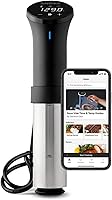
How to Reset an Anova Sous Vide Cooker
Unplug the Anova, wait about 30 seconds, and plug it back in. A power cycle clears most stuck cooks, frozen screens and app errors. Then reconnect the app and set your time and temperature again.
On this page (9 sections)
- When should you reset an Anova sous vide machine?
- How do you reset an Anova sous vide machine step by step?
- What's the difference between a power cycle and a factory reset?
- How do you reconnect the app after an Anova reset?
- Which Anova model do you have, and does the reset differ?
- What should you check if the reset doesn't fix the problem?
- Is a reset worth knowing on the cheaper Anova cookers?
- How do you keep an Anova from needing a reset again?
- The short version on resetting an Anova
Here's how to reset an Anova sous vide machine: unplug it, wait about 30 seconds, and plug it back in. That power cycle clears most stuck cooks, frozen screens and dropped app connections, and it's the same first step for the 3.0, the Nano 2.0 and the Mini.
You don't need tools or a menu code. The sections below cover when a reset makes sense, how to reconnect the app after one, and what to do when a plain unplug and replug doesn't fix it.
When should you reset an Anova sous vide machine?
Reset when the cooker acts stuck, not after every cook. The clear signals are a display that won't advance, a cook that won't cancel, a screen locked on one temperature, or an app that keeps losing the connection mid-bath.
An Anova that sits idle in the drawer for weeks doesn't need a reset. Plug it in, let it boot, and set your bath as usual.
A normal cook ends when you press stop and lift the unit out, so save the power cycle for a real glitch.
If your unit runs but never heats, that's a different problem. Read Anova sous vide not heating water before you reset, because the fix for a dead heater is usually a power or placement issue rather than a firmware state.
One more signal worth knowing: a cook that finishes but leaves the cooker's display still counting. That means the stop command never landed.
Pull the plug for the full 30 seconds rather than tapping the screen, since a soft touch on a locked display rarely registers.
How do you reset an Anova sous vide machine step by step?
Unplug at the wall, wait 30 seconds, plug it back in, and let the display finish booting. That short pause drains the electronics so the cooker starts from a clean state instead of picking up where the freeze left off.
- Press stop if the cooker responds, then remove it from the water and dry the lower half.
- Pull the plug from the outlet, not from the cord, and leave it out for about 30 seconds.
- Plug it back in and wait for the two-line display to settle before touching anything.
- Set time and temperature again, or reopen the app and start a fresh cook.
On the Precision Cooker 3.0, the touch screen shows time on one line and temperature on the other, so you can see right away whether the reset took. The Nano 2.0 and Mini boot the same way, with controls on the unit and the app for remote work.
What's the difference between a power cycle and a factory reset?
A power cycle is the safe everyday reset; a factory reset is not something the cookers offer as a routine step. Unplugging clears a stuck state without touching your recipes, cook history or app account.
Don't hunt through the app for a factory reset when the cooker freezes. The reliable move is the outlet reset, then a fresh cook.
Your saved temperatures and cook times stay tied to your Anova account and return when the app reconnects.
If the app itself misbehaves, close it fully and reopen it before you reinstall anything. Deleting the app throws away your local session, and you'll sign back in to get your history.
Run the power cycle first, since it fixes more frozen-cook cases than an app reinstall does.
What does the app subscription have to do with a reset?
Nothing, and that's the point. The optional Anova app subscription runs 1 dollars.99 a month or 9 dollars.99 a year and adds chef recipes and cooking guides plus saved cook history and personal recipes.
Cancelling or letting it lapse won't change how the cooker resets or how the free app controls time and temperature.
So if a reset looks like it lost your guided recipes, check your subscription status and sign back in. The cook history and personal recipes sit in your account, and they return once the app syncs after the reboot.
A frozen screen is a hardware hiccup, not a billing problem.
How do you reconnect the app after an Anova reset?
Open the Anova app, let it find the cooker, and sign in if it prompts you. The 3.0 uses dual band WiFi, which helps the connection hold once the cooker is back on the same network as your phone.
Keep the cooker plugged in and close to the router while it reconnects. If the app shows the unit as offline, give it a minute rather than tapping connect over and over.
The Mini is Bluetooth only, so keep your phone within range with the app open.
For the Nano 2.0, control runs through the app, so keep your phone connected while a cook is underway. When the app keeps dropping, check that the cooker isn't behind a metal pot lid or a closed cabinet door.
Which Anova model do you have, and does the reset differ?
The reset is the same outlet power cycle on all three current Anova cookers. What changes is how you set the bath afterward, and how you reconnect.
The Precision Cooker 3.0 has WiFi, a touch screen and an adjustable clamp that fits nearly any pot deep enough for the water line. Its 1100 watts and 32–197°F range cover everything from a low egg bath to a hot vegetable cook.
The Nano 2.0 is the compact pick at 800 watts, with a fixed clamp and a 12.8-inch body that stows in a drawer. The Mini is the most affordable of the three at 850 watts, app enabled, with a 32–194°F range.
What should you check if the reset doesn't fix the problem?
Run the power cycle a second time, then check water level, clamp seating and the outlet before you call support. A cooker that's too shallow in the water or clamped on a curved rim can trip its own protections and look frozen.
Confirm the water sits above the minimum mark and the skirt is seated. On the 3.0 the stainless skirt twists off, so make sure it's locked back on after cleaning.
Use a known-good outlet and skip extension cords for a test run.
If the display stays blank or the buttons stay dead after two cycles, stop retrying. Detail like that points to a hardware fault, and a warranty claim is the right next step.
The 3.0 and the Nano 2.0 both carry a two year manufacturer warranty, so keep your proof of purchase handy before you contact Anova.
Is a reset worth knowing on the cheaper Anova cookers?
Yes, the outlet reset matters most on the Mini and Nano, because they lean on the app for daily control. A frozen cook on a Bluetooth-only Mini leaves you with no remote start until the unit reboots.
On the Mini, the app runs over Bluetooth, and time and temperature are set on the unit too. After a reset, reopen the app, pair it again and set the cook.
The 850-watt element handles full pots and small ones, so a stuck state mid-steak is worth clearing fast.
The Nano 2.0 hits 197°F at the top, has a fixed clamp and runs on plastic that wipes clean. Power cycle it the same way, then reopen the app and set the bath once it reconnects.
Its cook time runs up to 99 hours, so a long bath that freezes partway through is the case where a reset earns its keep.
How do you keep an Anova from needing a reset again?
Give it clean water, a stable outlet and an uncluttered app connection. Most stuck states come from a dirty skirt, a loose plug or an app that can't reach the cooker, not from the cooker itself.
Rinse and dry the skirt after cooks with salty or starchy water. Seat the clamp so the unit sits straight and the intake stays submerged.
Keep the phone and router close during WiFi cooks on the 3.0, and leave the app open on the Mini when you want remote control.
The 3.0 and the Mini are rated for baths up to 16 liters, so fill your pot to the minimum depth and no more than the vessel allows. Less water means faster heating and less strain on the element over a long cook.
If you're still deciding which Anova suits your kitchen, see our rated sous vide machine guide. New to the method?
Start with what is the point of sous vide before you plan a long cook.
The short version on resetting an Anova
For anyone learning how to reset an Anova sous vide machine, the rule is simple: unplug, wait about 30 seconds, plug back in, and set the bath again. That clears a frozen screen or stuck cook on the 3.0, the Nano 2.0 and the Mini.
If a reset doesn't take, don't keep pressing buttons. Check the water level, the skirt and the outlet, then contact Anova support for a unit that stays dead.
Once it's running, plan your next cook: a quick sear finish suits steak, while a low bath suits eggs, and a pressure cooker comparison helps if you want both methods in one kitchen.
Frequently asked questions
Will resetting an Anova delete my saved recipes?
A simple power cycle does not wipe your recipes or cook history. Those live in your Anova account and sync back through the app.
If you delete and reinstall the app to fix a connection problem, sign in with the same account so your saved recipes return.
Does an Anova need a reset after every cook?
No. Most cooks end cleanly, and you just press stop and lift the cooker out.
Reset only when the screen freezes, a cook won't cancel, the app keeps dropping the connection, or the circulator won't respond to the buttons.
My Anova won't respond to the buttons. Is a reset enough?
Try the unplug and replug cycle first and give the display a moment to boot. If the buttons still do nothing, unplug it and stop pressing them.
A cooker that stays dead after two power cycles needs support rather than a third try.
Can I reset an Anova without the app?
Yes. The power cycle happens at the wall outlet, so the app plays no part in it.
You can set time and temperature on the cooker itself on the 3.0 and Mini.